
Use UReach videos to increase your response rate!
By including a recorded video with each message, your campaigns will have greater chances of success. KennectedReach video lets you record a scrolling pattern for LinkedIn profiles, while talking to a prospect as if in a real-world conversation. It’s like an enhanced version of warm emailing.
When you record a video, there’ll be a small bubble in the corner of the screen which will display your front camera. This just gives your video that extra personal touch.
Choosing a larger avatar size allows you to speak more directly to a prospect, as if you’re having a face-to-face conversation. On the other hand, selecting a smaller avatar size will shift the focus away from you and instead will emphasize your chosen scrolling pattern or profile.
Both have their merits, but whichever you choose you’ll need to know how to adjust the size of your avatar. Follow the simple steps below to do just that.
1. Go to your “Templates” tab from the left-hand side menu.
2. Select “My KennectedReach Videos” from the top and then click on “Create Video”.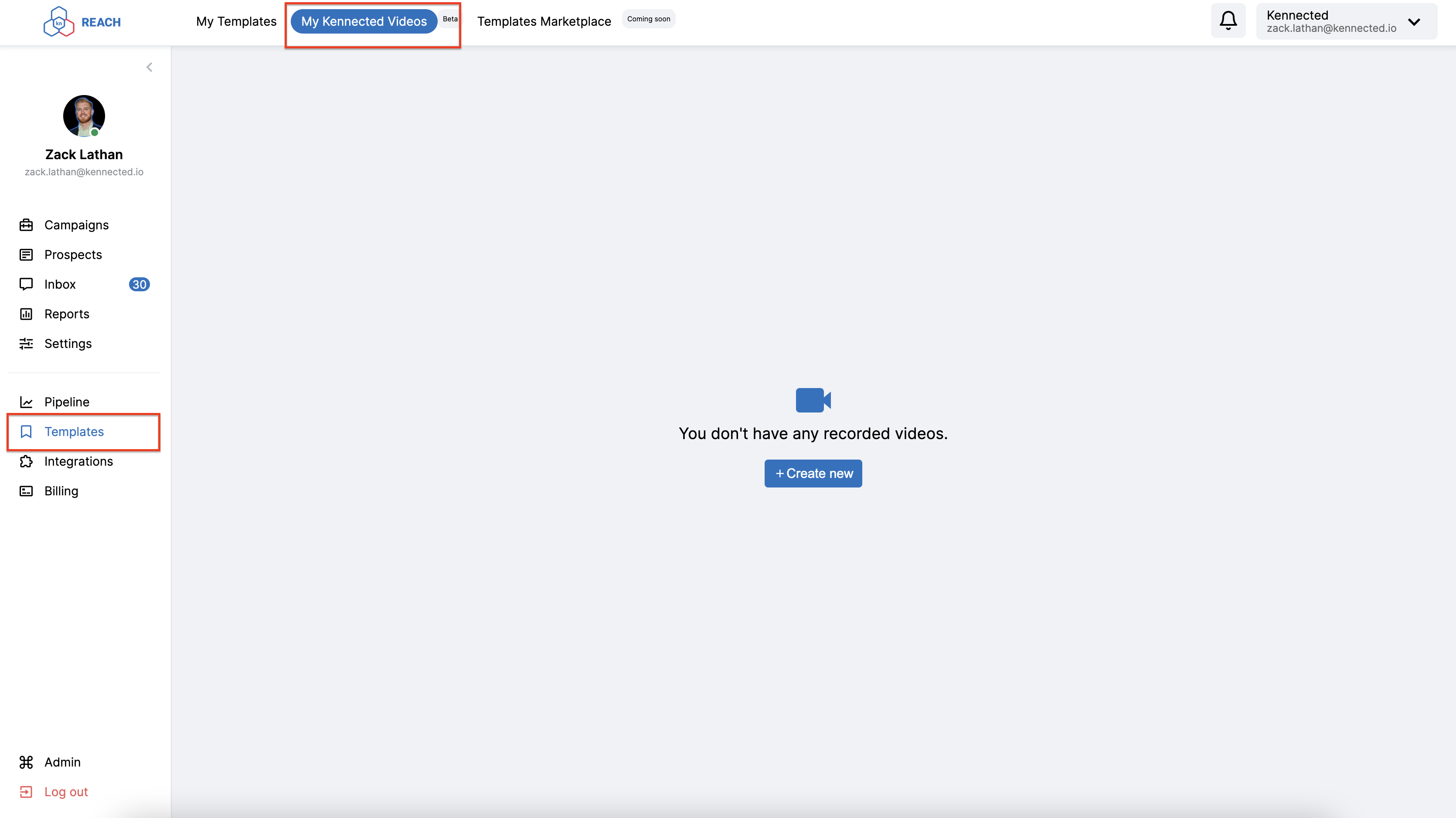
3. Scroll down to where you begin recording your video. To the side, you’ll see adjustments for your avatar size. Select the one you want – small, medium, or large.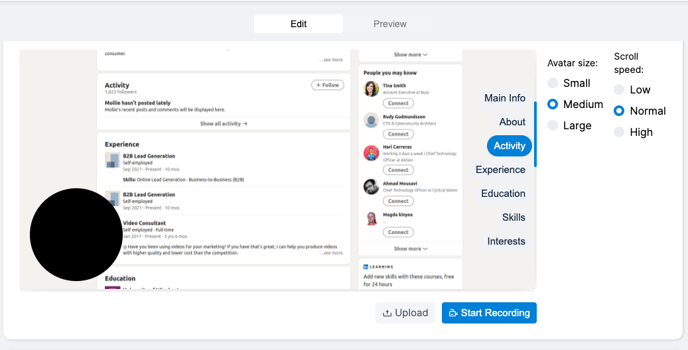 4. Click on “Save” in the top right-hand corner and your avatar size and video will be created.